
Solution
COT Solution
The Clear Solution for COT Reports
If you’ve ever tried digging through COT data on the official site, you know the feeling: lost, overwhelmed, and honestly… a little frustrated.
The official CFTC.gov iwebsite is where all the regulatory info and market data live, including the COT report. This report shows the positions that hedge funds, banks, and other big players are required to report. Sounds useful, right? In theory, yes. In practice… not so much.
Sure, some websites try to make it easier, formatting the reports into something readable. But even then, it’s like trying to drink from a firehose. So much extra data that finding what actually matters feels impossible.
I used to check these sites every single day, hunting for just a handful of numbers that mattered to me. Every visit? Same story: scroll, scroll, scroll… search, scroll some more… and waste half an hour just to find the numbers I needed.
That’s why we built COTDesk—a better way. A place where the numbers you care about are front and center, crystal clear, and ready to use. No clutter. No chaos. Just insights that actually move markets.
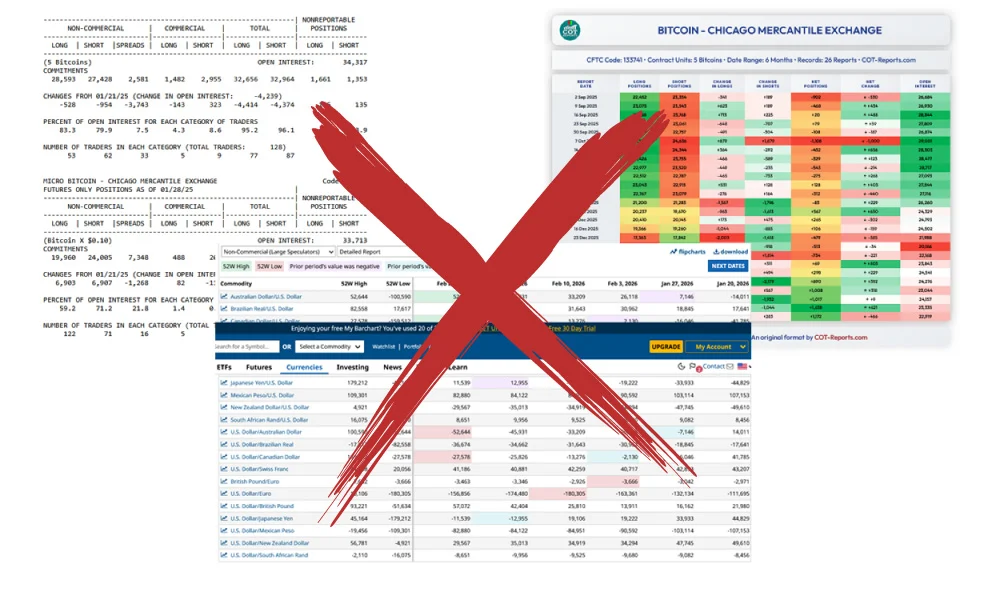
The image above shows data from multiple sources for a single asset.
With so much information presented at once, it becomes difficult to read, understand, and process effectively.
Here’s the deal when you open a COT report: you see three groups.
- Non-Commercial (Speculators)
- Commercial (Hedgers)
- Non-Reportable (Small Traders)
For most traders like us—scalpers, day traders, swing traders—only one group really matters: Non-Commercial Speculators.
Why? Well, Commercial hedgers are position traders. They hold positions for weeks, sometimes months, so their data isn’t very useful for short-term moves. Non-Reportable traders? That’s mostly retail, and their positions usually don’t give you any real edge.
Even after filtering to Non-Commercial Speculators (we only need them), the data can still feel overwhelming. Open any asset’s report, and it’s like staring at a sea of numbers. But here’s the truth: you really only need two numbers.
- Change in Longs – how many long positions were opened or closed
- Change in Shorts – how many short positions were opened or closed
That’s it. Really. Nothing else matters—not even net change, which is just the sum of those two numbers. The difference becomes obvious once you start tracking the indicator right here at COTDesk.com.
From there, it’s easy. With just these two numbers, I can show you exactly how to read them in a smart way—giving you a real edge in the market without drowning in irrelevant data.
The solution is here—and yes, I can prove it. Check out your COT Indicator below and see for yourself.
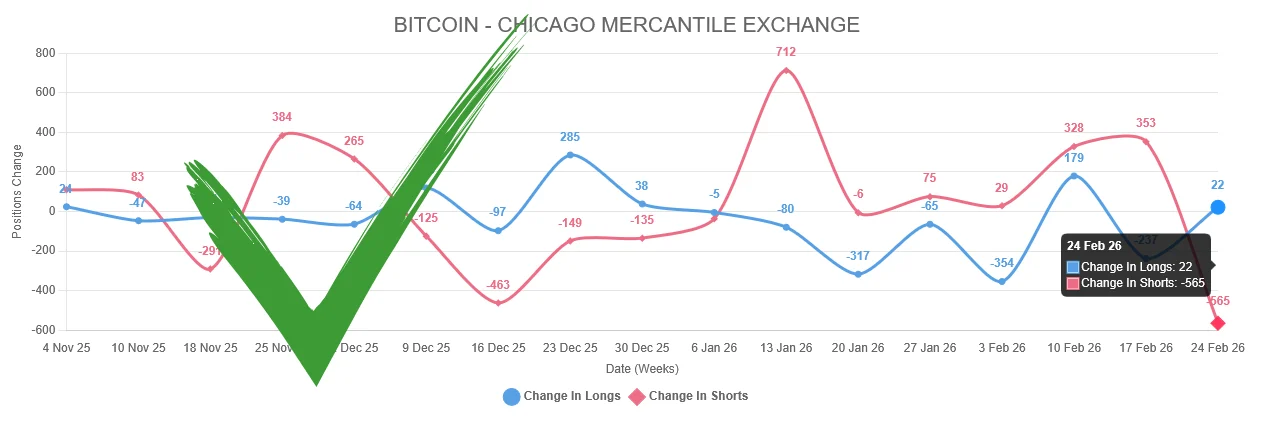
Our COT Indicator in action (Bitcoin)